
 Free WordPress Plugin
Automatic updates, without the fear.
TwinCraft AutoGuard is a free WordPress plugin that keeps WordPress core, your plugins, and your themes up to date on their own, safely. It backs up every update first, checks that it actually worked, and emails you the moment anything fails. Convenience, without the 3am surprise.
GPL licensed · No account or license key · No ads, ever
Backup, update, verify, notify.
Turning on WordPress auto-updates and hoping for the best is a gamble. TwinCraft AutoGuard follows the same careful sequence a developer would, every single time, automatically.
Backup
Before a single file changes, the plugin or theme being updated is backed up, so there is always a way back.
Update
The update is applied through WordPress's own background process, so it adds no load to your visitors.
Verify
It then checks the update actually completed, instead of assuming it did. No silent half-updates.
Notify
If anything fails, you get an email straight away with exactly what broke. Successful updates are simply logged.
Everything you need, nothing you don't.
Built to be understood by anyone. No sprawling settings, no upsells, no ads.
One clear dashboard
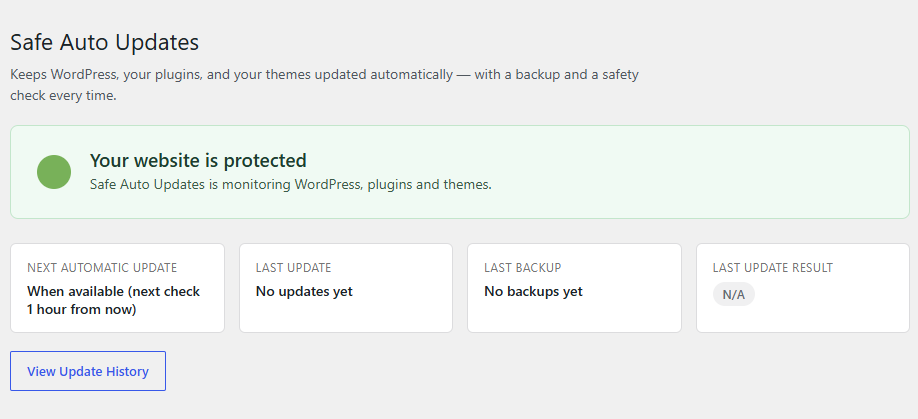
Answers a single question at a glance: is my website protected right now? No digging required.
Backup before every update
An automatic safety net taken before each change, stored in a folder protected from public access.
Instant failure alerts
An email the moment an update fails, with the item, versions, backup status, and the exact error.
Separate on/off switches
Control core, plugins, and themes independently. Turn automation on where you trust it, off where you don't.
Per-item exclusions
Leave one temperamental plugin or theme out of auto-updates in a single click. Everything else keeps flowing.
Readable update history
A clean, plain-language log of every update attempt, so you always have a record of what happened and when.
For anyone who wants updates handled, not gambled.
If you have ever put off updates because the last one broke something, or turned on auto-updates and quietly worried about them, this is built for you. You get the convenience of automation with a backup and an early warning if something goes wrong.
- Site owners who can't babysit updates
- Freelancers and agencies looking after client sites
- Anyone who wants a backup before every change
- People who would rather know immediately when something fails
Quick questions.
Where are backups stored?
Will it slow down my site?
Can I stop one plugin updating without turning everything off?
What happens if an update fails?
Does it cost anything?
Keep your site updated, safely.
Download TwinCraft AutoGuard, activate it, and updates take care of themselves, with a backup and an alert watching your back.